Contents
If you’re a fan of A Dusty Trip and you’ve been hunting for ways to get free “Dusty Coins” or special perks, you’ve come to the right place. In this article you’ll find everything you need to know about “A Dusty Trip Codes” — how to use them, what to expect, and what to do if no codes are currently active. We’ll also mention our earlier post on A Dusty Trip Script Guide for users interested in scripting tips and tricks.
What Is A Dusty Trip?
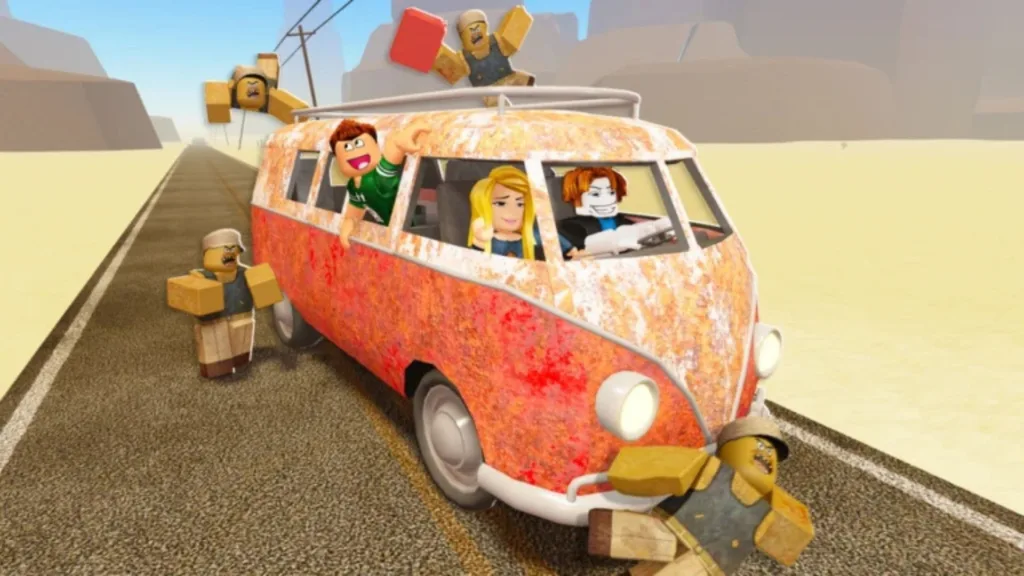
A Dusty Trip is a popular Roblox adventure game developed by Jandel’s Road Trip. In this game, players spawn in a lobby filled with multiple portals. Choosing a portal teleports you into a vast desert world where you’ll start in a garage full of car parts and various items. Your objective: build or repair a vehicle, then drive as far as you can — exploring buildings, scrounging for loot, and surviving random sandstorms and mutant encounters.
During the ride, you might find weapons, dynamite, and other resources scattered around buildings or garages — but you need to watch out for mutants hiding inside. If you die, you’ll return to the lobby (though revival via Robux is sometimes possible). The game’s blend of survival, exploration, crafting vehicles, and open‑world driving makes it a hit for Roblox players who enjoy freedom and unpredictability.
Because A Dusty Trip relies on in‑game currency (Dusty Coins) for upgrades, repairs, or buying better vehicles, redeeming codes is one of the easiest ways to get a boost — especially for free-to-play players. That’s why “A Dusty Trip Codes” remain such a sought‑after resource.

Active A Dusty Trip Codes
At the moment, yes — some codes for A Dusty Trip are active. However, like many Roblox games, promo codes tend to expire or rotate frequently, so there’s no guarantee they’ll remain valid for long.
Here are three codes reported recently:
- BROKEN‑CARS28 — grants Dusty Coins
- S7GONESOON — grants Dusty Coins
- DustyCoins1 — grants Dusty Coins
If none of these work, or if you see a message saying “invalid” or “expired,” that means the developers have disabled or revoked them. In that case, stay tuned — we’ll update this post when new codes are released.
How To Redeem A Dusty Trip Codes
- Launch A Dusty Trip on Roblox.
- Open the Settings Menu: Look for the gear icon, usually on the left side of the screen.
- Scroll Down to “Redeem” Section: At the bottom of settings, you’ll find a field to enter codes.
- Enter a Code Exactly as Listed: Copy one of the active codes (e.g. BROKEN-CARS28) and paste it into the input field.
- Click “Claim” / “Redeem”: Confirm the code. If successful, the game will notify you and add the rewards (Dusty Coins or Season Pass skips) to your account.
- If Code Fails: It might be expired — try another code, or wait for new updates.
Why Use Codes — And When There Are None
Using codes is the fastest way to get extra Dusty Coins — vital for upgrading your ride, surviving monsters, or customizing your gameplay. Especially early on, codes can give you a serious advantage without spending Robux.
If you see that no codes are active, don’t worry. Many developers release codes around events, updates, or milestones. Bookmarking the game’s official page, its Discord or Roblox group, or checking community forums (or this article!) is the best way to stay updated.
Tips For Getting More Codes
- Follow the official game group or Discord channel for announcements.
- Watch social‑media posts or livestreams from developers — codes are often given out during events or reaches of major milestones (visits, updates).
- Keep coming back periodically: sometimes codes are released without prior notice or during patch drops.
- Review community forums or wikis related to A Dusty Trip — many players share working codes soon after release.
Want More Content?
We’ve previously published a detailed A Dusty Trip Script Guide — ideal for players interested in customizing gameplay, scripting behaviors, or exploring potential mods. Check it out if you want to go beyond codes and dig into mechanics and in‑game dynamics.