
Space Haven Mods: Expand Your Ship And Survive The Galaxy explores how community modifications can improve ship building, storage management, resource collection, and long-term survival in Space Haven. This sci-fi colony simulation challenges players to construct spacecraft tile by tile, manage oxygen and power, grow food, organize crew schedules, explore derelict ships, trade with factions, and survive attacks from pirates and alien creatures. The best Space Haven mods expand those systems without removing the strategic decisions that make the game exciting. Some modifications provide larger construction areas, while others increase storage capacity and reduce the amount of valuable space consumed by containers. For players who enjoy designing massive starships, running salvage operations, or creating highly efficient mobile colonies, mods offer additional freedom and new reasons to begin another campaign.
Why Space Haven Works Well With Mods
Space Haven is built around interconnected systems. A shortage of materials can delay repairs, damaged equipment can interrupt oxygen production, and poor ship design can force crew members to waste hours transporting supplies.
Because every mechanic affects another, even a small mod can change the entire rhythm of a campaign.
Players already have extensive control over ship layouts. Bedrooms, medical rooms, industrial equipment, storage facilities, power systems, life-support machines, weapons, shields, and recreational spaces must all fit inside a limited construction area. Mods allow captains to adjust some of these restrictions and create ships that better match their preferred playstyle.
More Storage Capacity
Storage becomes a problem quickly in Space Haven. Building blocks, food, medicine, ammunition, weapons, trade goods, and salvaged materials all require container space.
The More Storage Capacity mod increases the amount of material that can be placed inside storage units. Large Storage capacity is raised to 750, while Small Storage capacity is increased to 100. The mod requires the Space Haven Modloader.
This change is especially useful for players who frequently salvage abandoned ships. Instead of leaving valuable resources behind or building several rooms filled with containers, crews can carry more supplies in a smaller area.
Additional storage also gives players more flexibility when trading. Resources can be collected when they are cheap and saved until a better trading opportunity appears.
Greater capacity does not completely solve logistics, however. Crew members still need to move items between storage, production facilities, and construction sites. Poorly positioned containers can continue to slow down the entire ship.
MoreShipPoints
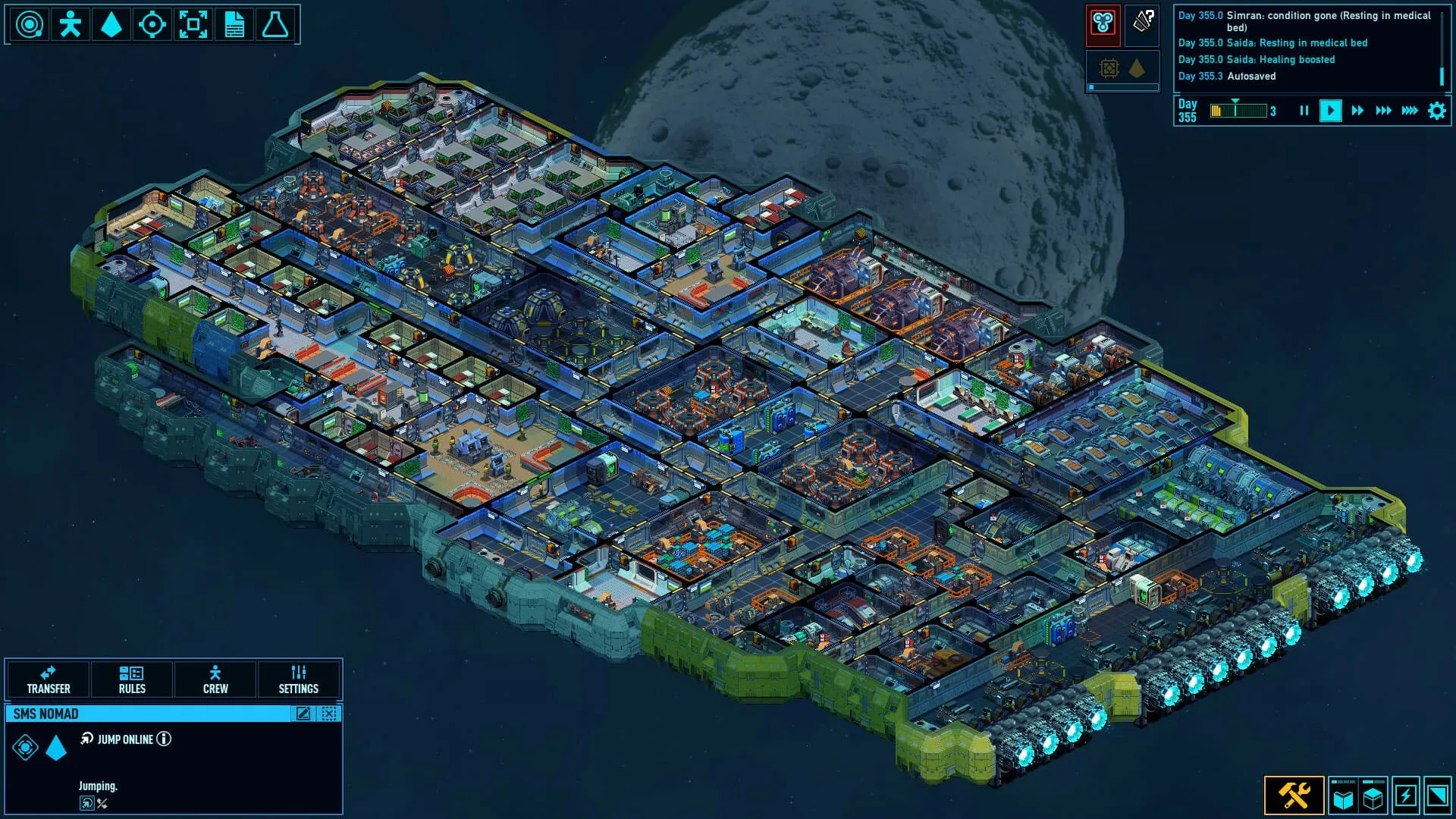
MoreShipPoints is intended for builders who feel restricted by the standard ship area. The mod adds a larger 3×3 ship option, creating more room for ambitious designs.
With the additional space, players can build separate industrial zones, larger living quarters, dedicated medical decks, expanded hangars, and heavily armed combat sections. It also becomes easier to separate noisy machinery from bedrooms and recreational rooms.
The mod does not require a modloader, but it changes files inside spacehaven.jar. It may also be tied to a specific game version, which means incompatible updates can cause crashes.
Before installing it, players should back up their save files and keep a clean copy of the original JAR file.
The Challenges Of Building Larger Ships
More construction space sounds like an automatic advantage, but large vessels introduce new problems.
Every room needs power, oxygen, temperature control, and safe access routes. Bigger ships also create longer travel distances for crew members. A poorly planned layout may force workers to walk across the entire vessel just to collect one building block or repair one damaged system.
Large ships require more resources to construct and maintain. They may also be harder to protect during combat. Fires, smoke, hull breaches, and equipment failures become more difficult to manage when critical systems are spread across several decks.
The best large ships are not simply spacious. They are organized around efficient movement, nearby storage, and backup life-support systems.
Choosing Mods For Your Playstyle
The right mod depends on what you enjoy most about Space Haven.
Players who prefer compact and efficient ship designs may benefit most from increased storage capacity. Creative builders may prefer MoreShipPoints because it provides a larger canvas for unusual vessels and specialized fleets.
A trading-focused captain could use expanded storage to carry more goods. A military player might use additional ship space for weapons, shields, and combat facilities. Salvagers may combine larger storage areas with carefully organized processing rooms.
Mods are most effective when they support a clear goal. Installing many unrelated changes can make a campaign feel unbalanced or difficult to troubleshoot.

How To Install Mods Safely
Always check the mod description, required game version, dependencies, and installation instructions before downloading anything.
Back up your saves before changing game files. Mods that replace or edit spacehaven.jar require extra caution, so keep an untouched copy of the original file.
Install one mod at a time and test it on a separate save. Confirm that construction menus, storage values, crew behavior, hyperspace travel, and save loading still function properly.
Official game updates can also break older mods. If a modification suddenly stops working, check whether the creator has released a compatible version.
Find More Space Haven Mods
Players can visit Mods portal for more Space Haven Mods.
Each individual mod page includes important information such as installation requirements, supported versions, file details, and compatibility warnings. Reading these notes before installing can prevent crashes and damaged campaigns.