Welcome to our Verity Codes guide, your place to check for future reward codes while learning the essentials of Specter Development’s unsettling Roblox horror game. In Verity, you follow Ethan after a mysterious package appears outside his home containing a strange yellow sphere named Verity. What initially seems like a helpful companion slowly becomes more disturbing as it watches, listens, and changes its behavior, leaving Ethan to prepare and protect his home before something arrives in three days. We will keep this guide updated whenever the developers publish new codes or rewards, so players can focus on exploring, interacting with the environment, and surviving the story. You can also visit our previously published Verity Script Guide for related content.
What Is Verity?
The official game is titled Verity [HORROR] and is published by Specter Development. Its story begins with Ethan being left home alone before discovering the mysterious box at his doorstep. Verity claims to know everything and initially wants to help, but the relationship becomes increasingly threatening as the days pass.
The game is built around atmospheric horror rather than nonstop combat. Preparation, exploration, environmental interaction, and the uncertainty surrounding Verity drive the experience.
Specter Development recommends using headphones, which is particularly useful in a game where audio can make quiet scenes considerably more tense.
Active Verity Codes
| Code | Reward |
|---|---|
THREEDAYS | Mystery cosmetic |
YELLOWSPHERE | Verity-themed item |
DONTLOOKBACK | Special player badge |

How To Redeem Codes In Verity
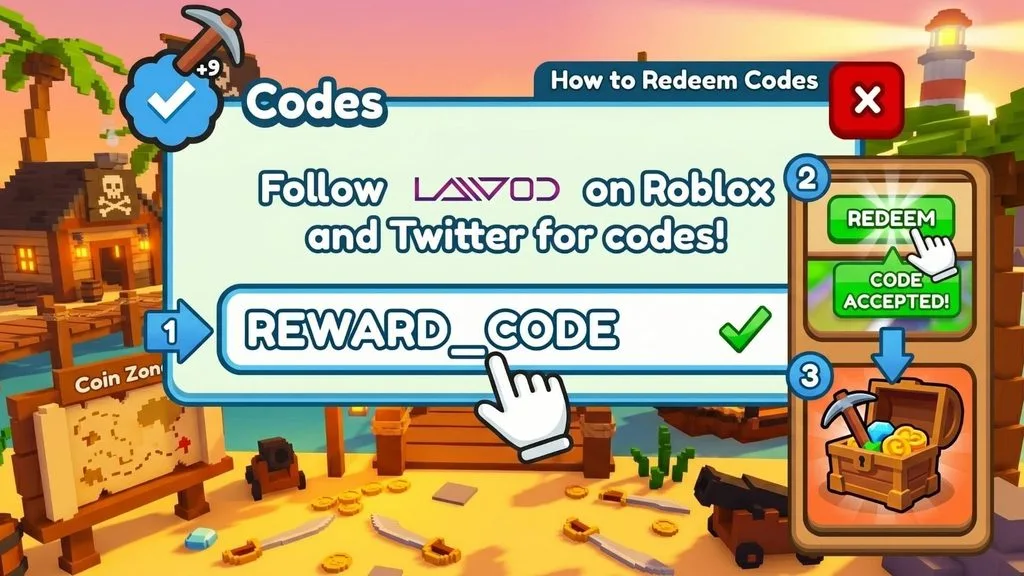
Use these steps whenever you have a valid code:
- Open Roblox and launch Verity.
- Wait until the game’s interface loads completely.
- Check the main menu, settings, inventory, or rewards interface.
- Locate the Codes or Redeem option.
- Enter your code exactly as it was released.
- Make sure there are no unwanted spaces.
- Select Redeem or Claim.
- Check your inventory or on-screen notifications for the reward.
Most roblox promo codes are sensitive to typing errors, so copying and pasting the original code is usually the quickest option.
Verity Controls
Controls are deliberately simple, allowing players to focus on the story.
On PC, hold Shift to sprint and press E to interact. Xbox players use L3 to sprint and B to interact, while PlayStation players sprint with L3 and interact with Circle.
Learning the interaction button early is important because investigating the house and dealing with objects around Ethan are central parts of the experience.
Tips Before You Start
Do not rush every objective. Verity works best when you pay attention to changes in the house and to Verity’s behavior as the countdown progresses.
Headphones are worth using, especially if you want the intended horror atmosphere. The developer specifically recommends them on the official Roblox listing.
Also make sure you are playing the version by Specter Development. Several different Roblox experiences use the name Verity, so checking the creator avoids ending up in a different game.
Where To Find New Codes
Developer announcements and updates are the best places to watch for future freebies. We will also update this guide whenever a legitimate new code becomes available.