Quick summary
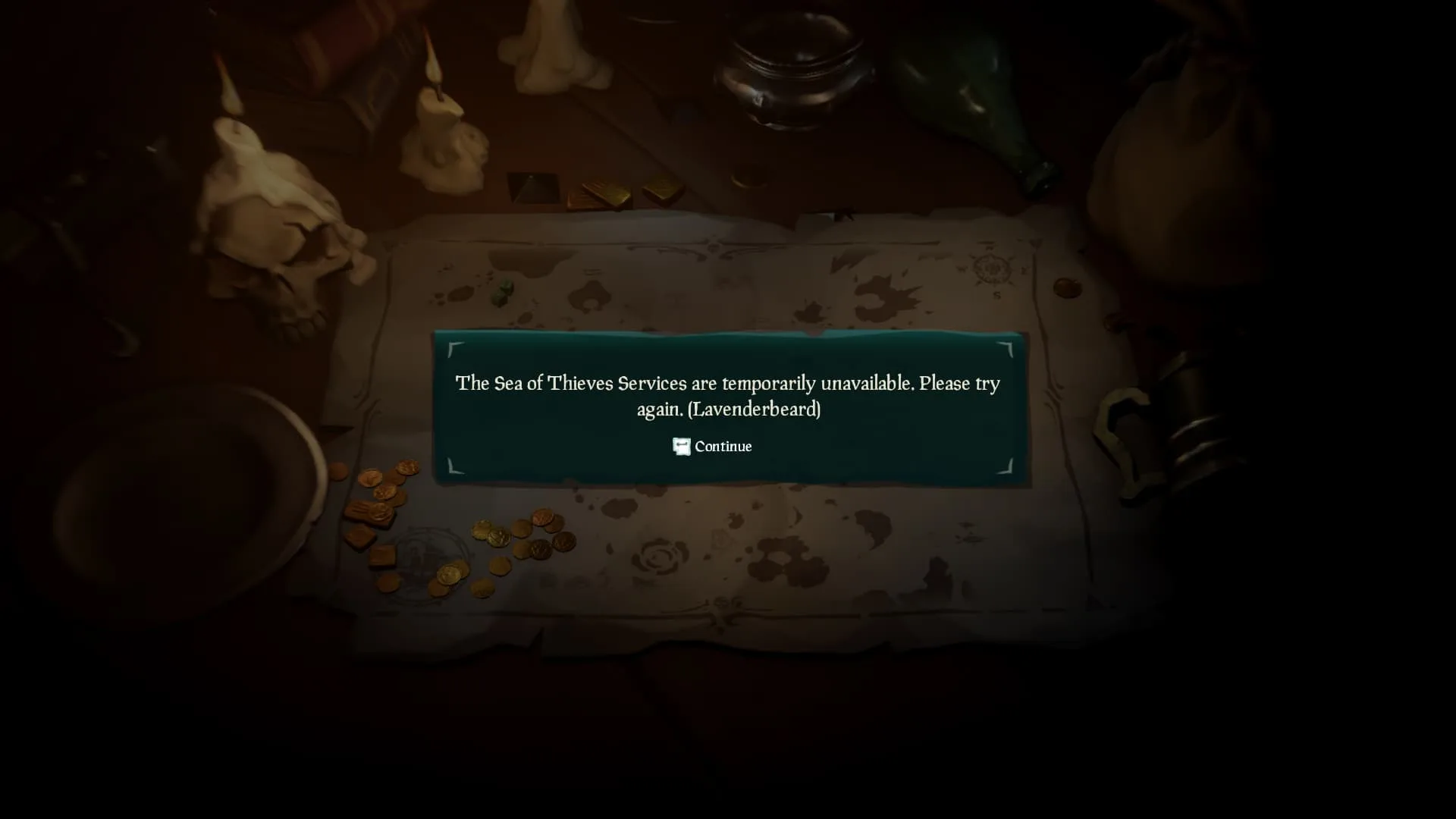
In short: If you are trying to log in to Sea of Thieves, but the launcher or game gives you a Lavender Beard error, have no worries. In this guide, we have discussed everything you may want to learn. The good news is that it has a fix, but it is dependent on time.
If you are trying to log in to Sea of Thieves, but the launcher or game gives you a Lavender Beard error, have no worries. In this guide, we have discussed everything you may want to learn.
The good news is that it has a fix, but it is dependent on time. In other words, players are powerless to do anything to fix this problem on their own. Instead, they need to wait a bit until the game is available again. Here is more!
What Is Lavender Beard in Sea of Thieves and How to Fix It?
Lavender Beard error is a common error that refers to the servers being down for maintenance purposes. Although rare, the servers may be down for various reasons too. In these cases, Sea of Thieves will show you Lavender Beard error.
Unfortunately, there is nothing you can do in this case. You need to wait for the servers to be up again. In general, the maintenance takes about a few hours, and it is performed when most players are sleeping. However, if you encounter a Lavender Beard error, it may be a good idea to take a break or play another game just for a while to wait.
Advertisement